



QA搜尋:

 目前位置:
目前位置: 回首頁
回首頁 相關問答
相關問答XAMPP啟動時 APPACHE無法啟動
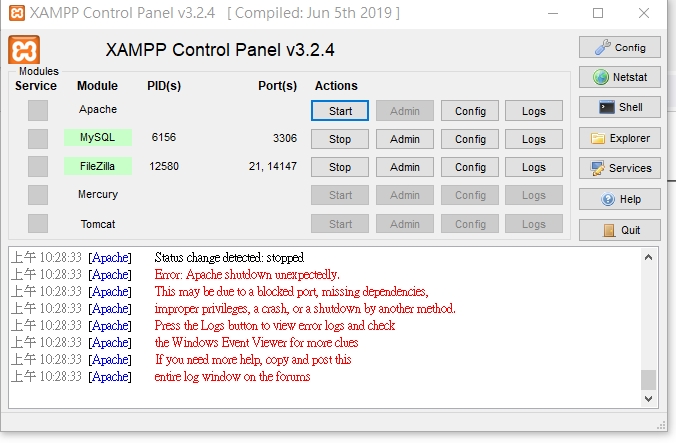
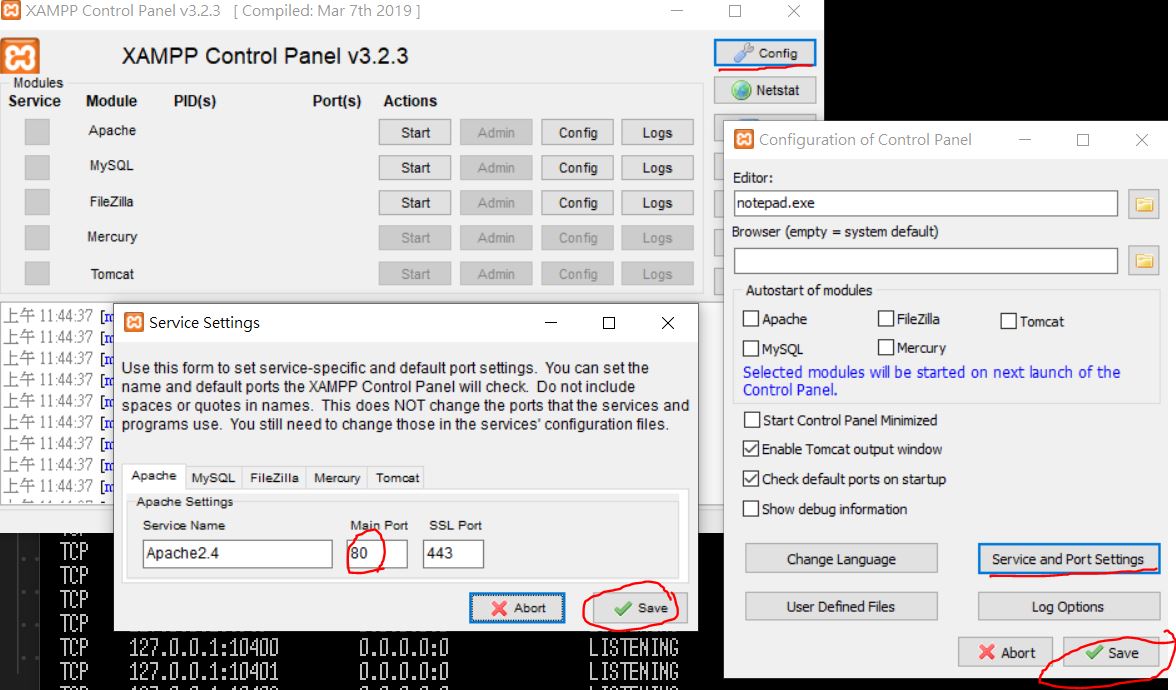
[日期]:2021/07/04 [瀏覽人數]:2125 XAMPP啟動時 APPACHE無法啟動 出現 查LOG出現port 80 in use by unable to open process with pid 4 使用netstat查詢使用PORT看是否有0.0.0.0:80 .....PID 4 表示port 80被占用了,解決方式就是看要移除占用PORT 80的程式,或是更改apache的預設PORT 更改XAMPP APACHE PORT方式 1.開啟XAMPP 控制台->apache->config->Apache(httpd.conf) 把Listen 80 改成8080 ServerName localhost:80 改成 ServerName localhost:8080 存檔 2.XAMPP控制台的config->Service and Port Settings->將apache24 的Main Port:80改為8080 存檔,如如圖
3.再重新啟動,開啟網址改http://localhost:8080/
|